
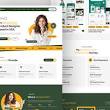
Portfolio Website Design: How to Showcase Your Work Online
A well-designed portfolio website does more than display examples of your work. It tells visitors who you are, what you do and why they should choose you. Whether you are a designer, photographer, developer, writer or creative business, your website can help turn your experience into a clear and compelling story.
Good portfolio website design combines thoughtful presentation with an easy-to-use experience. The aim is to make your work memorable while helping potential clients or employers find the information they need.
Start with a clear purpose
Before choosing colours, layouts or fonts, decide what your portfolio needs to achieve. Are you looking for freelance clients, applying for jobs or promoting a particular service? Your purpose will influence which projects you include, how you describe your experience and what action you want visitors to take.
Keep your audience in mind throughout the design process. A prospective client may want to understand your services and approach, while an employer may be more interested in your role within a project and the skills you used.
Choose your strongest work
A portfolio does not need to include everything you have ever created. A carefully selected collection of relevant, high-quality projects is often more effective than a long list of examples. Choose work that reflects the kind of opportunities you want to attract.
For each project, consider including:
- A clear project title and brief introduction
- The client, organisation or context, where appropriate
- Your role and the work you contributed
- The challenge, your process and the final outcome
- High-quality images, video or other relevant media
Be precise about your contribution, especially when a project involved a team. Clear descriptions help visitors understand your skills and build trust.
Make each project easy to explore
Use a simple structure so visitors can browse your work without confusion. A grid of project previews can work well on a portfolio home page, provided each item has a descriptive title and links to more detail. Grouping projects by service or discipline can also help when your work covers several areas.
Project pages should give the work room to breathe. Use a balanced mix of images and text, and avoid filling the page with unnecessary effects. The design should support the work rather than compete with it.
Build a consistent visual identity
Your portfolio is itself an example of your work, so its visual style matters. Choose a restrained colour palette, readable typefaces and a consistent approach to spacing and imagery. These choices can create a distinctive impression without distracting from your projects.
Consistency also applies to the details: headings, buttons, image treatments and page layouts should feel like part of the same experience. A recognisable visual identity can make your portfolio easier to remember.
Prioritise usability and accessibility
Visitors should be able to find their way around your website quickly. Use familiar navigation labels, keep menus manageable and make important information—such as your services and contact details—easy to locate.
Accessibility should be part of the design from the beginning. Use sufficient colour contrast, descriptive link text and meaningful alternative text for images. Make sure the site can be navigated using a keyboard, and choose font sizes that are comfortable to read.
Design for mobile devices
Many people will view your portfolio on a phone or tablet. A responsive design adjusts to different screen sizes, keeping text readable, images clear and navigation straightforward. Test the site on several devices to check that project previews, menus and contact forms work as expected.
Pay particular attention to image loading times. Large files can make pages slow, so use appropriately sized images and modern formats where supported. A fast-loading portfolio is more pleasant to use and helps visitors stay focused on your work.
Write useful, direct copy
Visual work may be the focus, but clear writing provides essential context. Explain what you offer, who you work with and how you approach a project. Avoid vague descriptions and industry jargon that could leave visitors unsure about what you actually do.
An engaging introduction on your home page can give visitors a quick sense of your expertise and personality. An About page can then provide more detail about your background, values and experience.
Include a clear call to action
Once visitors have explored your work, make it easy for them to take the next step. Add a clear call to action, such as an invitation to discuss a project, request a quote or view your CV. Include a reliable contact method and make sure any forms work properly.
For freelance professionals and studios, it can also help to explain what happens after someone gets in touch. A short note about your availability or enquiry process can make contacting you feel more straightforward.
Keep your portfolio up to date
A portfolio is not a one-off project. Review it regularly to replace outdated work, add recent examples and check that all links and contact details are correct. Updating your website also gives you the chance to refine how you present your skills as your work develops.
Conclusion
Effective portfolio website design brings together strong work, clear storytelling and a smooth browsing experience. By understanding your audience, selecting projects carefully and making your site accessible across devices, you can create a portfolio that presents your strengths with confidence—and helps visitors decide what to do next.
Essential FAQs on Crafting the Perfect Portfolio Website Design
- Which website is best for design portfolio?
- What is portfolio web design?
- What should be in a portfolio website?
- How do I create a web design portfolio?
- How do I make a web design portfolio?
- How do you show off a website design in a portfolio?
Which website is best for design portfolio?
The best website for a design portfolio depends on your needs and experience. A personal website built with platforms such as Webflow, Squarespace or Wix gives you more control over your branding and presentation, while Behance and Dribbble make it easy to share work with creative communities and potential clients. For the strongest, most professional presence, consider using your own website as the main portfolio and linking to relevant profiles on design platforms.
What is portfolio web design?
Portfolio web design is the process of creating a website that presents a person’s or business’s work, skills and experience online. It combines a clear layout, engaging visuals and straightforward navigation to help visitors explore projects, understand the creator’s approach and get in touch. A well-designed portfolio is also responsive, accessible and tailored to the audience it aims to reach.
What should be in a portfolio website?
A portfolio website should include a clear introduction explaining who you are and what you do, a carefully selected collection of your strongest and most relevant work, and short project descriptions outlining your role, approach and results. It is also useful to add an About page, details of your services or skills, testimonials or client feedback where available, and an easy-to-find contact page with a clear call to action. Make sure the site is simple to navigate, accessible and responsive on mobile devices.
How do I create a web design portfolio?
To create a web design portfolio, choose a selection of projects that best demonstrate your skills and the kind of work you want to attract. For each project, explain the brief, your role, design decisions and results, and include clear, high-quality visuals. Build a simple, responsive website with easy-to-use navigation, a short introduction, an About section and a clear way to contact you. If you are just starting out, include personal projects or redesign concepts, and label them honestly. Keep your portfolio up to date and make sure it works well on mobile devices.
How do I make a web design portfolio?
To make a web design portfolio, choose a simple, responsive layout that reflects your style and makes your work easy to explore. Select a few of your strongest projects and, for each one, explain the brief, your role, the design decisions you made and the outcome. Include an introduction, details of your services or skills, and a clear way to contact you. Before publishing, check that the site works well on mobile, loads quickly and is accessible to a wide range of visitors.
How do you show off a website design in a portfolio?
Show off a website design by presenting it as a complete project, not just a screenshot. Include clear images of key pages, ideally with desktop and mobile views, and explain the project’s goals, your role, the design decisions you made and the results. If possible, add a link to the live website or an interactive prototype, and make sure the presentation is easy to browse and lets the design take centre stage.