
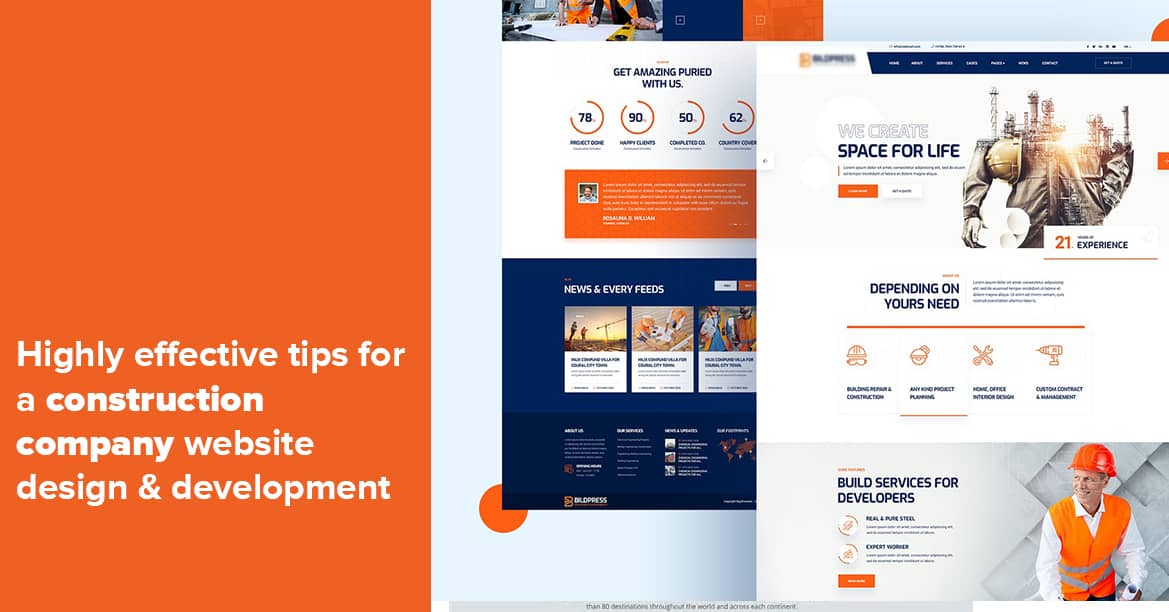
Construction Website Design: Building a Strong Online Presence
A well-designed website can help a construction business showcase its work, explain its services and make it easier for potential clients to get in touch. Whether the company specialises in home renovations, commercial building, extensions or civil engineering, its website should communicate professionalism and make important information easy to find.
Construction website design is about more than choosing colours and adding photographs. It combines clear messaging, useful content, mobile-friendly layouts and practical features to support enquiries and build trust.
Why a Construction Business Needs a Good Website
Many prospective clients research building companies online before making contact. They want to understand what a business does, where it works and whether it has experience relevant to their project. A clear, well-organised website can answer these questions and help visitors decide what to do next.
A website can also act as a central place for project examples, customer testimonials, accreditations and contact details. Unlike a social media profile, it gives a business greater control over how its services and reputation are presented.
Key Features of an Effective Construction Website
Clear Services and Specialisms
Make it immediately clear what the company offers. List services in straightforward language, such as new builds, extensions, roofing, property maintenance or commercial construction. If the business serves particular sectors or project types, explain this too.
Dedicated pages for major services can provide space to describe the process, typical project requirements and areas covered. This helps visitors find relevant information and can support the website’s visibility in search results.
A Portfolio of Completed Projects
Construction is a visual industry, so project photography can make a strong impression. A portfolio should show the quality and range of completed work, with images that are well lit, clearly presented and optimised so they do not slow down the site.
Where appropriate, add a short description to each project. Include details such as the type of work, the client’s brief, the challenges involved and the finished result. Always make sure permission has been obtained before publishing photographs or client information.
Trust Signals
Visitors want confidence that a construction company is capable, reliable and professional. Relevant accreditations, qualifications, insurance information, testimonials and membership details can help provide reassurance. These should be accurate and kept up to date.
Customer reviews and case studies are particularly useful when they describe the experience of working with the business, as well as the completed project. Avoid vague claims; specific, verifiable information is more convincing.
Simple Contact Options
Make it easy for prospective clients to take the next step. Display a phone number and email address clearly, and provide a straightforward enquiry form. Forms should request only the information needed to respond, such as the visitor’s name, contact details, location and a brief description of the project.
For businesses that work within a defined region, state the areas covered. This helps visitors quickly determine whether the company is suitable for their location.
Design for Mobile Users
Many people browse websites on a mobile phone, so a construction website should work well on smaller screens as well as desktop computers. Text should be easy to read, buttons should be simple to tap and navigation should remain clear.
Mobile-friendly design also means paying attention to loading times. Large image files, unnecessary animations and cluttered layouts can make a site feel slow. Compressing images and keeping pages focused can improve the browsing experience.
Make the Website Easy to Navigate
Visitors should be able to find essential information without searching through confusing menus. A simple structure might include:
- Home
- Services
- Projects
- About
- Testimonials
- Contact
Use descriptive page titles and headings, and avoid technical jargon unless it is explained. Clear navigation helps prospective clients explore the site and understand what the business can do for them.
Construction Website Design and Search Visibility
Search engine optimisation (SEO) can help a construction website appear when people search for relevant services. Start with useful, original content that accurately describes the company’s work, location and expertise. Each service page should focus on a clear topic, while page titles and descriptions should explain what visitors will find.
Local information can be especially important for builders and contractors. Keep business details consistent across the website and relevant online listings. If the company has a physical location or serves particular towns and regions, make that information easy to find without adding unnatural lists of place names.
Technical foundations matter too. A secure website, logical page structure, accessible content and fast-loading pages all contribute to a better experience for users and search engines.
Accessibility and Usability
An effective website should be usable by as many people as possible. Good colour contrast, readable text, descriptive links and alternative text for meaningful images can make content easier to access. Forms should have clear labels, and important information should not be conveyed through colour alone.
Accessibility benefits more than visitors using assistive technology. Clear layouts and straightforward language make the website easier for everyone to use.
Keep the Content Up to Date
A website should reflect the current business. Review service descriptions, contact details, project photographs and testimonials regularly. Remove outdated information and add new work as it is completed, with suitable permissions in place.
Keeping content current helps visitors see that the company is active and gives them a more accurate picture of its capabilities.
Creating a Website That Works for the Business
The strongest construction websites balance appearance with practical purpose. They explain services clearly, present completed work effectively, build trust and guide visitors towards making an enquiry. A carefully planned design can support a construction business’s reputation and make it easier for potential clients to take the next step.
Before starting a website project, identify the main audience, the services to promote and the action visitors should take. These decisions provide a useful foundation for a site that looks professional and serves the needs of the business.
Top 7 Tips for Effective Construction Website Design
- Show your best projects with clear, high-quality photos.
- Make contact details easy to find on every page.
- Use a simple menu with clear service categories.
- Design for mobile phones as well as desktops.
- Add testimonials and relevant accreditations to build trust.
- Use clear calls to action, such as “Request a quote”.
- Keep pages fast-loading and accessible to all visitors.
Show your best projects with clear, high-quality photos.
Showcase your best projects with clear, high-quality photographs that help potential clients see the standard of your work. Choose well-lit images that show the finished result from useful angles, and include a brief description of each project, such as the work completed or challenges overcome. Compress images so they load quickly, and make sure you have permission to share them.
Make contact details easy to find on every page.
Make your contact details easy to find on every page, so potential clients can get in touch whenever they are ready. Display your phone number and email address prominently, and consider adding a clear “Request a quote” button to the header or footer. On mobile devices, make phone numbers tap-to-call and keep enquiry forms simple, helping visitors contact your business without unnecessary effort.
Use a simple menu with clear service categories.
Use a simple menu with clear service categories so visitors can quickly find the information they need. Group related services under familiar labels, such as “New Builds”, “Extensions” or “Renovations”, and avoid vague wording or too many menu options. Clear navigation makes your construction website easier to use, especially on mobile, and helps potential clients understand your expertise at a glance.
Design for mobile phones as well as desktops.
Design your construction website to work just as well on mobile phones as it does on desktop computers. Prospective clients may browse project galleries, check your services or look for contact details while on the move, so pages should load quickly, text should be easy to read and menus and buttons should be simple to use on a small screen. A responsive design adjusts to different screen sizes, helping every visitor explore your work and get in touch with confidence.
Add testimonials and relevant accreditations to build trust.
Add testimonials and relevant accreditations to help prospective clients feel confident choosing your construction business. Genuine customer feedback can show what it is like to work with your team, while recognised industry accreditations, qualifications and memberships demonstrate your commitment to professional standards. Display them clearly on your website, and make sure all testimonials and credentials are accurate and up to date.
Use clear calls to action, such as “Request a quote”.
Use clear, prominent calls to action to help visitors know what to do next. Phrases such as “Request a quote” or “Arrange a consultation” are direct and easy to understand, and work best when placed where potential clients can readily find them. Keep the process simple by linking each call to action to a short enquiry form or clear contact details.
Keep pages fast-loading and accessible to all visitors.
Keep every page fast-loading and accessible to all visitors. Optimise images, avoid unnecessary animations and use a clean layout so pages load smoothly, even on mobile connections. Choose readable fonts, provide strong colour contrast, add descriptive alternative text to meaningful images and make sure the site can be navigated using a keyboard. These details create a better experience for everyone, including people using assistive technology.