
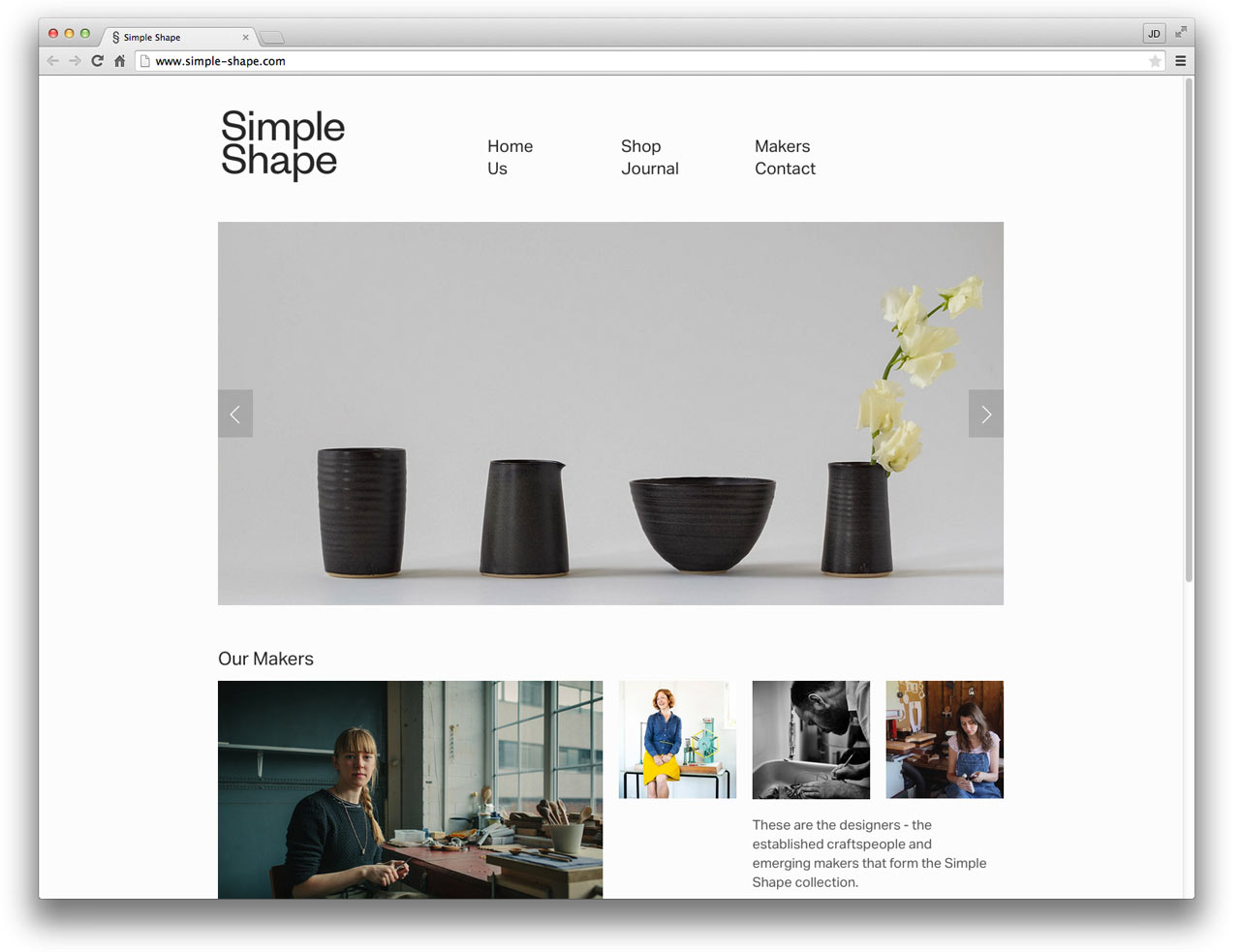
Squarespace Website Design: A Practical Guide
A well-designed website can help a business make a strong first impression, explain what it offers and turn visitors into customers. Squarespace is a popular website-building platform that brings page design, content management and hosting tools together. Its templates and visual editor make it possible to create a polished website without building everything from scratch.
Whether you are starting a new business, refreshing an existing site or building an online portfolio, good Squarespace website design begins with a clear plan. The platform provides the tools, but thoughtful content, structure and visual choices are what make a website effective.
What is Squarespace website design?
Squarespace website design involves planning and creating a website using the Squarespace platform. This may include choosing and adapting a template, organising pages, adding written and visual content, setting up navigation and configuring features such as contact forms, online bookings or e-commerce.
Squarespace offers professionally designed starting points, but a template should be treated as a foundation rather than a finished design. Your branding, content and page layout should reflect your organisation and meet the needs of your audience.
Start with your goals and audience
Before choosing a template or adjusting colours, decide what the website needs to achieve. For example, you may want to:
- Generate enquiries for a service
- Sell products online
- Showcase a portfolio or case studies
- Share news, articles or resources
- Help customers find essential information
Consider who will visit the website and what they will want to do. A potential customer looking for a local service may need clear pricing, examples of previous work and an easy way to get in touch. An online shopper may need product details, delivery information and a straightforward checkout process.
Choose a suitable template
Squarespace templates are designed for different types of websites, but the most important factor is how well a template supports your content and goals. Look at its page layouts, navigation options and built-in features rather than choosing on appearance alone.
Before committing to a design, consider whether it can present your key information clearly. A service business may benefit from prominent calls to action and space for testimonials, while a photographer may need large image galleries. Choose a template that gives you a useful starting point and can be adapted to your brand.
Create a clear, intuitive structure
Visitors should be able to find their way around without having to think too hard. Keep the main navigation concise and use familiar labels such as “About”, “Services”, “Shop” and “Contact”. Organise related information together and avoid adding pages simply because the platform makes it easy to do so.
For many small business websites, a useful structure might include:
- Home: A concise introduction to the business and its main offer
- About: Background, values and relevant experience
- Services or products: Clear descriptions of what is available
- Portfolio or testimonials: Evidence of previous work and customer experiences
- Contact: Practical details and a simple way to make an enquiry
Make the design consistent
A consistent visual identity helps a website feel professional and recognisable. Use a small set of brand colours, one or two complementary typefaces and a consistent approach to buttons, headings and imagery.
Consistency does not mean every page needs to look identical. Instead, repeat key design elements while using different layouts where they help present the content. Make sure that text remains easy to read, with sufficient contrast between the words and the background.
Use images with purpose
Strong images can make a website more engaging, but they should support the message rather than distract from it. Use clear, relevant photographs or illustrations that suit your brand. Where possible, use original images of your products, team or work to give visitors a more personal impression of your business.
Large image files can affect loading times, so prepare and optimise images before uploading them. Add descriptive alternative text to meaningful images to help explain them to people using assistive technology. Decorative images can usually be left without descriptive text.
Write content for people
Good website copy is clear, specific and easy to scan. Use headings to break up longer pages, keep paragraphs focused and explain what makes your offer relevant to visitors. Avoid vague claims and make practical information easy to find.
Each important page should also guide visitors towards a useful next step. A clear button or link might invite them to request a quote, book an appointment, view a product or get in touch. Use descriptive wording so people know what will happen when they select it.
Design for mobile devices
Many people browse websites on phones and tablets, so check how every page looks and works on smaller screens. Squarespace templates are designed to adapt to different screen sizes, but your content and design choices still matter.
Check that text is readable, buttons are easy to tap, images display as intended and the mobile navigation is straightforward. Avoid relying on fine details or layouts that only make sense on a large desktop screen.
Consider search engine optimisation
Search engine optimisation (SEO) helps search engines understand the content of your website. Squarespace provides settings for elements such as page titles, descriptions and image alternative text, but useful SEO begins with helpful, well-organised content.
- Give each page a clear, descriptive title
- Use headings to organise information logically
- Write naturally about your services, products and location where relevant
- Create descriptive links instead of generic phrases such as “click here”
- Keep page content accurate and useful for visitors
SEO is an ongoing process, not a setting that guarantees a particular ranking. Review your content regularly and make improvements as your business and audience develop.
When should you hire a Squarespace designer?
Squarespace can be a practical option for people who want to manage their own website. However, a designer may be helpful if you need a distinctive visual identity, a carefully planned customer journey or support with custom layouts and content presentation.
Working with a designer can also help you avoid common problems such as unclear navigation, inconsistent styling and pages that look polished but do not make the next step obvious. Before hiring someone, clarify the project scope, who will provide the content and whether ongoing support is included.
Final thoughts
Squarespace website design is about more than selecting an attractive template. A successful website combines clear goals, thoughtful structure, consistent branding, useful content and a smooth experience across devices. With careful planning, Squarespace can provide a flexible starting point for a website that represents your business and helps visitors take action.
Frequently Asked Questions About Designing Websites with Squarespace
- How much should you charge to build a Squarespace website?
- Is Squarespace good for making websites?
- How much does it cost to have a Squarespace website built?
- How much does a Squarespace web designer cost?
- Is Squarespace good for web designers?
- How long does it take to build a website with Squarespace?
- Is Squarespace good for making a website?
How much should you charge to build a Squarespace website?
The cost of building a Squarespace website depends on its size, features and level of customisation. In the UK, a simple site using a customised template might cost around £500–£1,500, while a more bespoke website with several pages, copywriting, SEO setup or booking features could range from £2,000 to £5,000 or more. E-commerce sites and complex integrations may cost extra. When setting a price, account for planning, design, revisions and testing, and make clear whether Squarespace subscription fees, domain costs, content creation and ongoing maintenance are included.
Is Squarespace good for making websites?
Yes, Squarespace is a good choice for making websites, particularly for small businesses, creatives and individuals who want a professional-looking site without coding. It offers customisable templates, built-in hosting and tools for features such as online shops, bookings and contact forms. However, it may be less suitable if you need highly specialised functionality or extensive customisation, so consider your goals and budget before choosing a platform.
How much does it cost to have a Squarespace website built?
The cost of having a Squarespace website built depends on its size, features and level of customisation. A simple site with a few pages will usually cost less than a larger project involving e-commerce, booking tools, custom design or content writing. You should also budget for Squarespace’s subscription and any domain, payment processing or third-party service fees. Ask your designer for a clear quote outlining what is included, such as design, setup, revisions and ongoing support.
How much does a Squarespace web designer cost?
The cost of hiring a Squarespace web designer in the UK depends on the size and complexity of your website, the designer’s experience and what is included. A straightforward site using an existing template may cost a few hundred pounds, while a bespoke small-business website can typically range from around £1,500 to £5,000 or more. E-commerce features, custom design, copywriting, branding and ongoing support may increase the price, so ask for a clear proposal outlining the work, revisions and any additional costs.
Is Squarespace good for web designers?
Squarespace can be a useful platform for web designers, particularly when building attractive, easy-to-manage websites for small businesses, creatives and service providers. Its professionally designed templates, visual editing tools and built-in hosting make it possible to work efficiently without managing a complex technical setup. Designers can customise layouts and styling to suit a client’s brand, while clients can update much of their own content after launch. However, Squarespace may be less suitable for projects that require highly bespoke functionality, extensive integrations or complete control over the underlying code. The best choice depends on the project’s requirements, budget and plans for future growth.
How long does it take to build a website with Squarespace?
The time it takes to build a Squarespace website depends on its size, features and how prepared the content is. A simple website with a few pages may take a few days to a couple of weeks, while a larger site with an online shop, custom design or booking features can take several weeks. Having your text, images, branding and page structure ready in advance can help the project run more smoothly.
Is Squarespace good for making a website?
Yes, Squarespace is a good option for making a website, particularly for small businesses, creatives and individuals who want a polished site without coding. It offers professionally designed templates, an intuitive editor and built-in tools for features such as blogging and e-commerce. The main trade-off is flexibility: highly customised or complex websites may need extra development or a different platform. The best choice depends on your budget, technical skills and the features your website needs.