
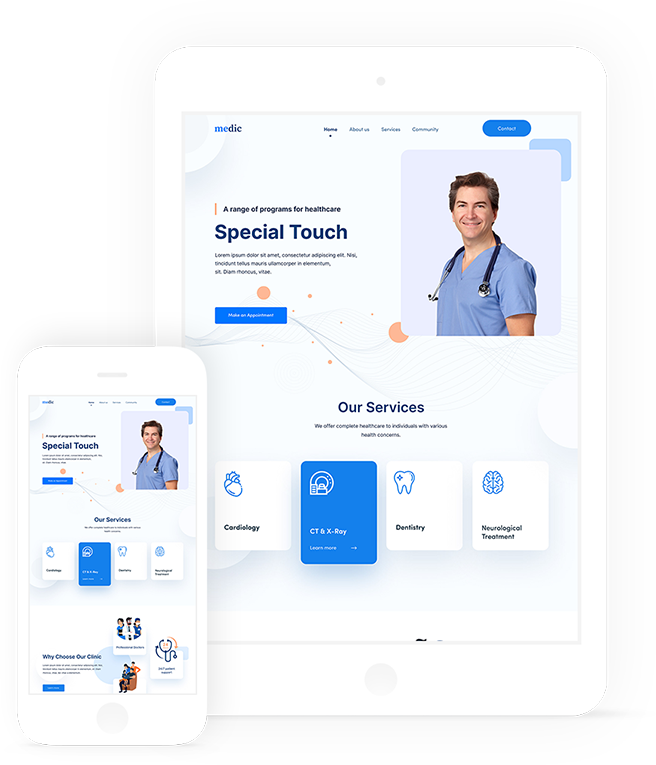
Dental Web Design: Creating a Website That Builds Trust
A dental practice website is often the first place a prospective patient learns about a clinic. Before booking an appointment, visitors may want to know what treatments are available, where the practice is based, how much services cost and what to expect during a visit. Thoughtful dental web design makes these answers easy to find while helping patients feel confident about getting in touch.
Why a Dental Practice Website Matters
A well-designed website does more than look professional. It can explain your services, introduce your team and guide visitors towards practical next steps, such as calling the practice or requesting an appointment. A clear, reassuring online experience is particularly valuable for people who feel nervous about dental treatment or are searching for a new dentist.
Your website also represents your practice outside opening hours. It should provide accurate, useful information whenever patients need it, on desktop computers, tablets and mobile phones.
Make Navigation Simple
Patients should be able to find essential information without having to search through several pages. Use straightforward menus and familiar labels, such as:
- General dentistry
- Cosmetic treatments
- Emergency dental care
- About the practice and team
- Fees and payment information
- Contact details and opening hours
Prominent contact options can make a real difference. Include the practice telephone number and address where they are easy to see, and make phone numbers clickable on mobile devices.
Design for Mobile Devices
Many people look for local services on their phones. A responsive website adapts to different screen sizes so that text remains readable, buttons are easy to tap and pages do not require awkward sideways scrolling. Keep forms short and make important actions—such as calling or booking—easy to complete on a small screen.
Build Trust Through Clear, Helpful Content
Dental care is personal, so patients need more than attractive images. Use plain, reassuring language to explain treatments, appointment procedures and what patients can expect. Avoid unexplained technical terms, and make sure that any information about costs, availability or treatment options is accurate and kept up to date.
Introduce the dentists and wider team with professional photographs and concise biographies. A genuine look at the practice can also help visitors feel more familiar with the setting before they arrive. If you display patient reviews or testimonials, ensure they are authentic and presented appropriately.
Make Accessibility a Priority
An accessible website is easier for more people to use, including those with visual, hearing or motor impairments. Use readable font sizes, strong colour contrast, descriptive headings and meaningful alternative text for images. Make sure the website can be navigated using a keyboard and that forms have clear labels and instructions.
Accessibility should be considered from the beginning of a design project, rather than added as an afterthought. It improves the experience for patients and helps make essential practice information available to a wider audience.
Support Local Search Visibility
People often search online for a dentist near them. Clear location details can help search engines and prospective patients understand where your practice is based. Include your address, telephone number, opening hours and the areas you serve. Keep these details consistent across your website and relevant business listings.
Useful service pages can also answer specific questions, such as what a particular treatment involves or how to arrange an emergency appointment. Write for patients first: relevant, original content is more valuable than pages filled with repeated keywords.
Use Strong Calls to Action
Once visitors have found the information they need, show them what to do next. Calls to action such as “Call the practice”, “Request an appointment” or “Find us” should be easy to spot and written in clear language. If patients can book online, explain how the process works and what will happen after they submit a request.
Keep the Website Secure and Up to Date
Regular maintenance helps keep a dental website reliable. Check that links and forms work, review information when services or opening hours change, and install relevant software updates. Use secure connections and handle any personal information submitted through forms responsibly. If a form collects health information, consider carefully whether it is necessary and ensure the process is suitable for the data involved.
Creating a Better Experience for Patients
Effective dental web design combines clear information, easy navigation, accessibility and a reassuring visual identity. The aim is not simply to make a practice look modern; it is to help patients understand their options and take the next step with confidence. By focusing on real patient needs and maintaining the website over time, a dental practice can create a useful and welcoming online experience.
Essential FAQs on Dental Web Design: Purpose, SEO, Blogging, and Key Features
- What is the purpose of a dental website?
- What is dental SEO?
- How do I create a dental blog?
- What should a dental website include?
What is the purpose of a dental website?
The purpose of a dental website is to help patients find the information and care they need. It introduces your practice, explains the treatments you offer, and provides practical details such as opening hours, location, fees and contact information. A clear, accessible website can also build trust, answer common questions and make it easier for patients to book an appointment or get in touch.
What is dental SEO?
Dental SEO (search engine optimisation) is the process of improving a dental practice’s website so it is easier for people to find through search engines such as Google. It can include creating helpful pages about treatments, using relevant local search terms, improving website speed and mobile usability, and keeping the practice’s contact details consistent across online listings. Effective dental SEO helps connect people searching for dental care with accurate information about your practice.
How do I create a dental blog?
To create a dental blog, start by choosing topics that answer the questions patients commonly ask, such as oral hygiene, treatment options and what to expect at an appointment. Write in clear, reassuring language, organise posts with helpful headings and publish new content regularly. Make sure every article is accurate, reviewed by a suitably qualified dental professional and avoids promising specific results. Add relevant images and links to your services or appointment page, and ensure posts are easy to read on mobile devices.
What should a dental website include?
A dental website should make it easy for patients to find essential information and take the next step. Include clear details about treatments, the dental team, fees, opening hours, location and contact options, along with a straightforward way to request or book an appointment. Helpful patient information, genuine reviews and reassuring photographs can build trust, while mobile-friendly design, accessible content, fast loading and secure forms make the site easier and safer to use.